Preparation

Register Account
ACCOUNT

After registering an account, you can save game data and play anytime.

  • ※If you have any questions, please consult the administrator. (Discord)
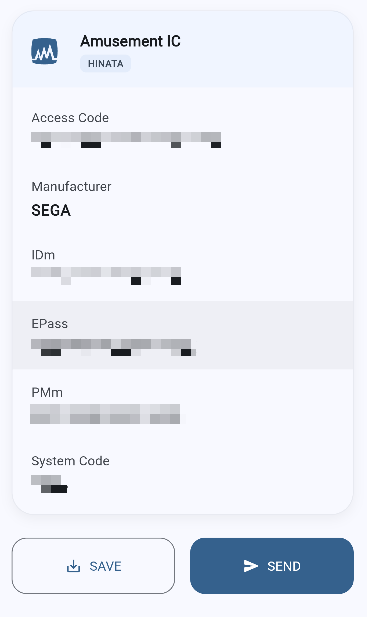
  • ※Accounts can use "Virtual Card Number" instead of "Amusement IC Card".

Account Setup
ACCOUNT SETUP

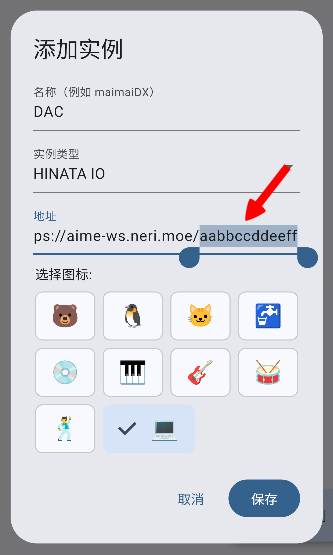
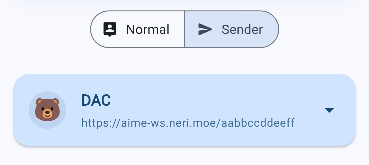
After registering an account, please go to the user center to add a store and machine, and set the KeyChip.
You can customize the store name. The KeyChip is the machine identification code used to associate the machine with your account.

  • ※Unless otherwise specified, each account can only add one machine.
  • ※After setting the KeyChip, the machine can connect to the server normally.

Game Launch Settings
GAME SETTING

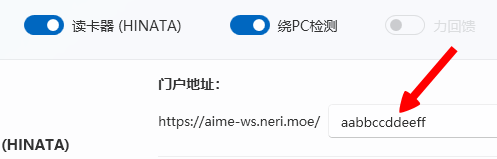
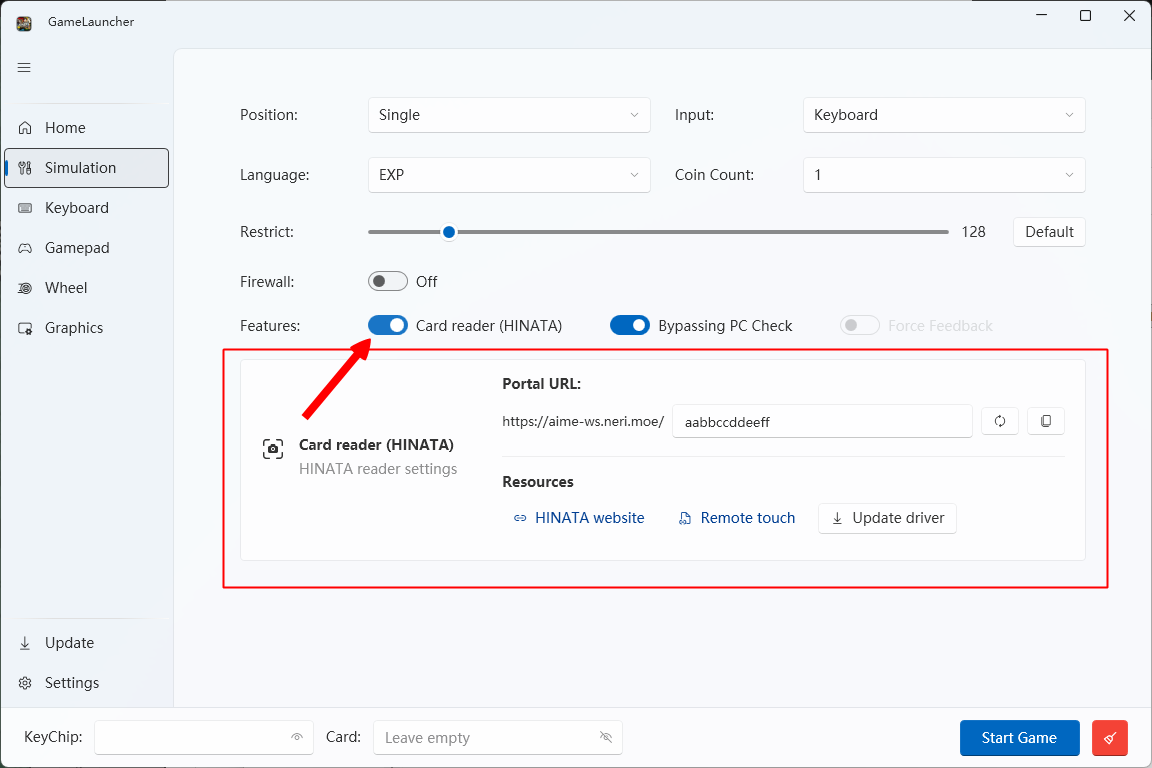
To launch the game, you need to download the our launcher or use SEGATOOL.
We recommend using the our launcher as it is simpler, more convenient, and faster.

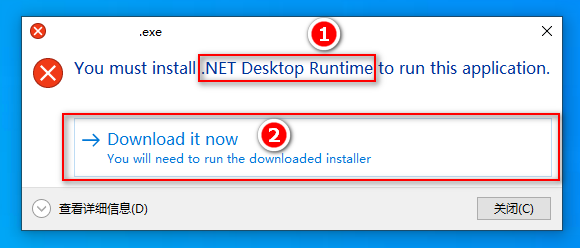
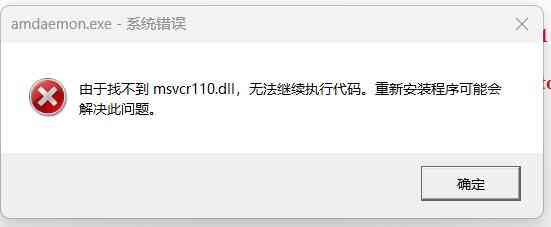
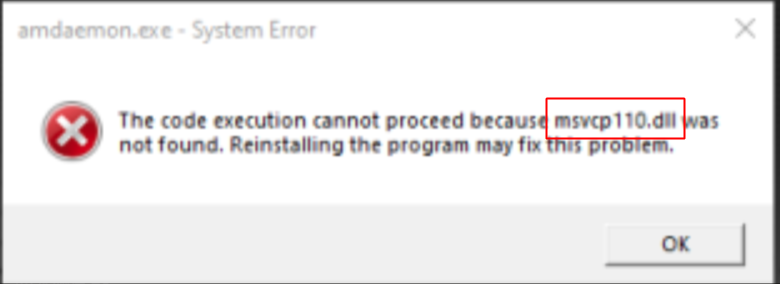
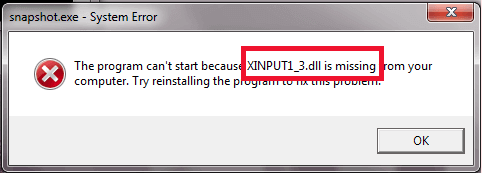
1. Runtime Download (Required)

VC2012 Update4 Download

.NET 9.0 Download

2. Using our Launcher (Recommended) Download

Using the our launcher is simpler, more convenient, and faster.

※Using SEGATOOL(Not Recommended) Download

If using SEGATOOL, you need to set the following configuration

If the version is higher than 250, you need to set spike to version-specific txt
[dns]
default=arcadezone.cn
[keychip]
id=<Your KeyChip ID>
[indrun]
spike=<version-specific.txt>

Start Playing
GAME START

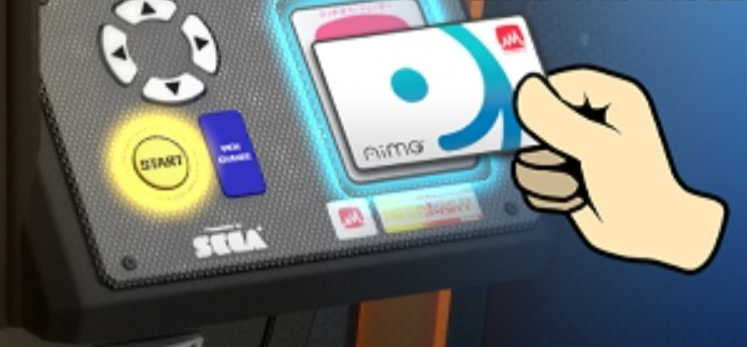
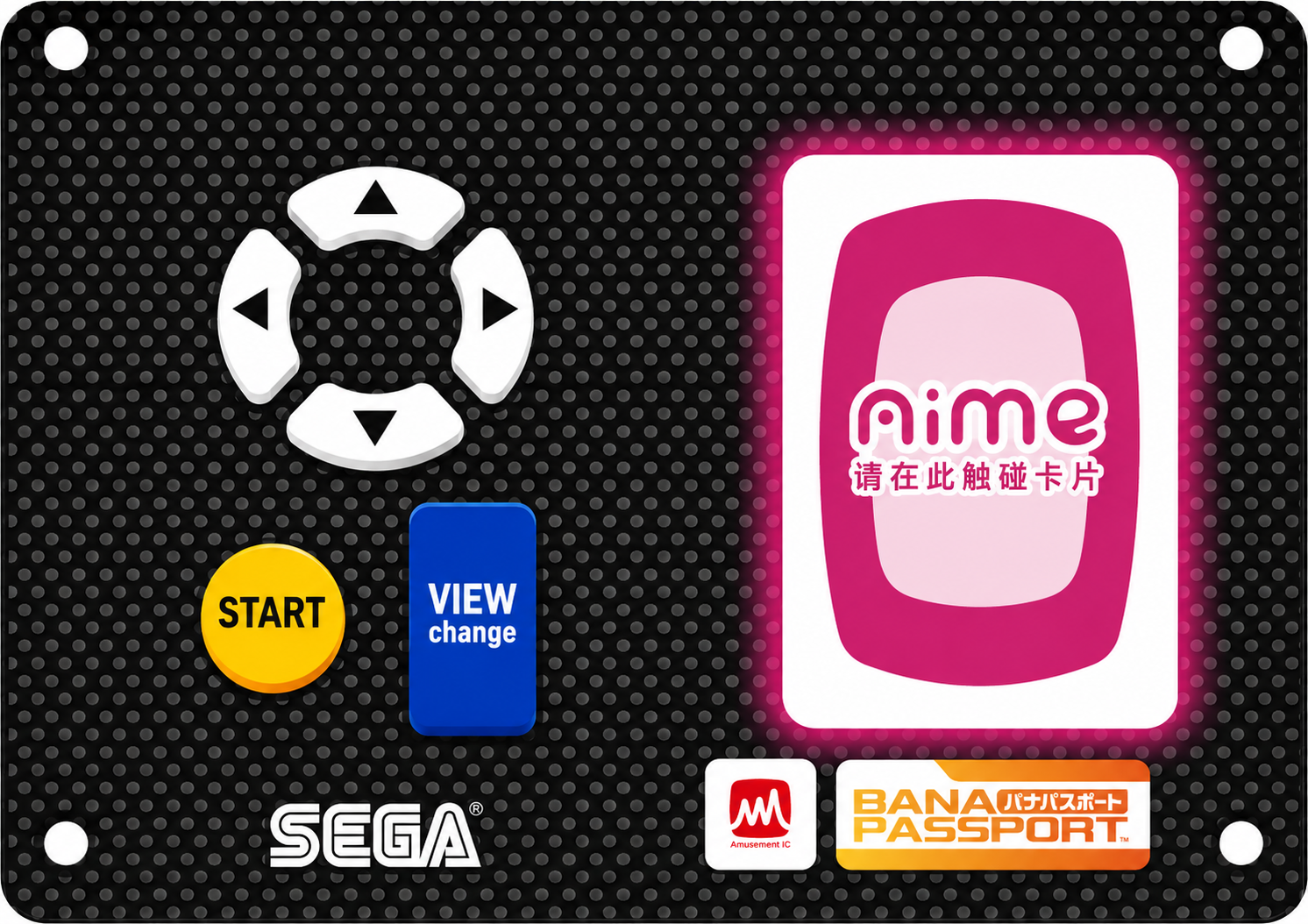
Before starting the game, you need to swipe your card to register a driver account.
If not connected to the network, you can also press the START button to start the game.

Enter your name (when logging in with an account).

Select a vehicle.
You can change AT/MT in the settings.

Please select "Mode Selection".

Please select the mode you want to play.

■Time Trial
A racing mode where only your car runs on the track, challenging track records
■Special
A single-player event mode where you, as a driver, battle against drivers from "Events"
■Story
A single-player story mode where you, as a driver, battle against drivers from "Initial D"
■Theory of Street
A single-player mode where you, as a practice driver, use "Initial D" characters as mentors and battle against driver avatars from "around the world"
■In-Store Battle
A mode that supports up to 4 players for real-time battles on the same local network
■Online Battle
This is a mode for 1-on-1 online battles with players from around the world
  • ※To play Online Battle mode, you need to upgrade a vehicle's tuning level to "Full Tuning"

Game Mode

Time Challenge
TIME TRIAL

Time Trial Mode

A racing mode where only your car runs on the track, challenging track records.
When you achieve good results using an account, your driver name will be displayed in the in-store or overall "Rankings".
You can also view the overall rankings on the "Rankings" page.

Time Rating

A rating is displayed based on the time to reach the finish line.
Work hard to improve your skills and get a higher rating.

Ghost Car / Assist Line

In Time Trial mode, simply press the "Up" key to display your past run as a ghost car.
Also, press the "Down" key to display the assist line as a reference.
You can also toggle the assist line on/off during battle races.

Story
STORY

Story Mode

This is a single-player mode that immerses you in the world of the "Initial D" manga.
Before the young man known as "Akina 86" shows his skills on mountain roads in various regions,
your story begins on the peaceful shores of Lake Akina.

The beginning of the story is a passionate driver who appears with the sound of a turbo
A large number of speed-seeking opponents will stand in your way. The new "Initial D" story starts now!

When playing Story mode, you will accumulate tuning points for the vehicle used in that mode
and perform tuning (enhancement) on the vehicle.

By playing Story mode, you can also earn "Story Level Experience".
When you earn a certain amount of experience, your "Story Level" will increase.

Challenge Bunta

"Challenge Bunta" is an extremely difficult single-player mode where you can challenge the legendary driver "Bunta Fujiwara".
After winning, you can earn "Story Level Experience" and also challenge an even more serious "Bunta Fujiwara".

  • ※"Challenge Bunta" requires a driver level above "C9" to select.

Theory of Street
THEORY OF STREET

Theory of Street Mode

This is a single-player mode where you can battle against other drivers from around the country on tracks of your choice.
You can accumulate battle simulation experience
Build your own "Theory of Street" together with characters from "Initial D".

Partner

Winning driver data increases friendship with partners.
Depending on the friendship level, you can receive partner-related item rewards.

Also, partners will give advice for each track.
You might discover techniques you didn't know about...?

Select Rules for Battle

You can choose "2-Car Battle" or "4-Car Battle" as the battle format.
Also, you can freely choose the track for battles.
Battle with your favorite combinations and accumulate experience.

Opponent Selection

You can select opponents from driver data around the world at your preferred skill level.
Defeating stronger opponents will give you bonus experience.

When certain conditions are met, opponents with unparalleled strength called "Masters" will appear.
Defeating "Master" opponents gives you more experience, allowing you to battle even stronger "Master" opponents.

In-Store Battle
INSTORE BATTLE

In-Store Battle Mode

A real-time battle mode for up to 4 players on the same local network.
If you already have battle opponents, select "Private Match",
If you don't have enough opponents or want others to join later, select "Public Match".
(After a while, the time to accept joins will end)

The track is decided by lottery from the tracks selected by each player.

After reaching the finish line, results will be announced.
Based on the race results, you can earn "In-Store Level Experience", and when you earn a certain amount of experience, your "In-Store Battle Level" will increase.

Battle Gift Event

Battle Gift Event is an event where you share items with players around you through in-store battles.

When you meet certain conditions during the event period, you will randomly receive 1 battle gift.

During the event period, when you have an in-store battle with other players who have battle gifts you don't have,
you can receive the battle gift that player has.

  • ※When having an in-store battle with multiple players who have items you don't have, you can receive any one of them.
  • ※Even if you give away a battle gift, the item will not disappear from your inventory

When you share your battle gift with other players, as a battle gift promotion reward,
you will receive additional decoration tokens and avatar tokens.

Play in-store battles with players around you and keep the battle gifts spreading!

  • ※Battle Gift Events have a period.
    Also, the initial distribution conditions and promotion rewards for battle gifts vary by event. Please check the event article for details.

Online Battle
ONLINE BATTLE

Online Battle Mode

This is a mode for 1-on-1 online battles with players from around the country.

Based on battle results, "Online Level Experience" will increase or decrease.
When online experience exceeds a certain value, "Online Level" will increase, and when it falls below a certain value, it will decrease.

Round System

In Online Battle mode, "Rounds" are held periodically.
During the regularly updated round period, based on online battle results,
compete for the number of round points earned.

Based on round point rankings, holdings, and number of battles during the round period,
you can receive various rewards.

  • ※To earn round points, you need to reach a certain online battle level.
  • ※The round points you can earn vary depending on your online battle level.

PRIDE

After breaking through the online level cap, the level icon will change to a "PRIDE" icon.

When using the "PRIDE" icon for online battles, PRIDE will increase or decrease based on wins and losses.
Users with "PRIDE" icons will be displayed in the "PRIDE Rankings".


  • ※When the level icon cap changes due to version updates, etc., the icon display will return to normal while maintaining the PRIDE value. After breaking through the level cap again, it will restart from the maintained PRIDE value.

Tips

Pedal Operation
PEDAL OPERATION

Press Accelerator

Press the right accelerator pedal and the car will accelerate!
Press hard on straightaways!

Release Accelerator

In difficult corners (curves), release the accelerator pedal.
This will make it easier to turn stably.

Brake

In tight corners (sharp turns), brake hard before entering the corner!
Slow down before entering the corner. When a red warning (corner guide) appears,
it's best to brake hard before turning.

Brake Drift

Try "Brake Drift" in sharp corners!
This will make it easier to turn!

Brake Drift Method
①Brake hard before entering the corner!
②After entering the corner, release the accelerator and turn the steering wheel quickly!
③After the car starts to slide, press the accelerator! Also straighten the steering wheel slightly!
④When the corner exit approaches, turn the steering wheel slightly in the opposite direction to counter-steer!

Game Tips
TIPS

Assist Line

The assist line can be turned on by pressing the "Down" key during play.
Green assist line means press the accelerator! Yellow assist line means release the accelerator!
Red assist line means brake hard, and you'll get a good feel!

Corner Warning

Corner warnings will appear on the screen when approaching corners!
When a yellow corner warning appears, slow down slightly before entering the corner!
When a red corner warning appears, brake hard and then drift into the corner!

Vehicle Attributes

Each vehicle has its own attributes.
The first is the track type it excels at (Technical/High-Speed), and the second is the route type it excels at (Downhill/All-Round/Hill Climb).
Using a vehicle that matches the track and route attributes will make it much easier to drive!

Track Type (Technical/High-Speed)

Technical
Suitable for tracks with many corners
High-Speed
Suitable for tracks with many straights

Route Type (Downhill/All-Round/Hill Climb)

Downhill
Suitable for downhill routes
All-Round
Suitable for circuit tracks or mixed uphill/downhill tracks
Hill Climb
Suitable for uphill routes

Battle Score

Running ahead of your opponent continuously (the further ahead, the more points you get),
and driving without hitting walls will increase your score.

If you have more battle score than your opponent,
the boost you get after the final sprint will be stronger, making it easier to overtake your opponent.

Battle score has 4 color levels
Yellow⇒Green⇒Blue⇒Purple

  • ※Battle score is a feature in "Online Battle", "In-Store Battle", and "Theory of Street"
  • ※It has no effect on "Time Trial" and "Story Mode"

Adjust to Your Preferred Settings

In the settings screen, you can adjust steering wheel weight and more!
Adjust to your preferred settings and challenge the mountain roads!

Shop

You can purchase new vehicle models, vehicle decoration parts, and avatar parts.

Car Shop
CAR SHOP

You can purchase new vehicle models, and you can own multiple vehicles.
Purchases require in-game currency "Cash" or "Full Tuning Vehicle Purchase Ticket".

Tuning Style

Depending on the vehicle model, there may be several "Tuning Styles" that allow for different tuning configurations.
Each "Tuning Style" has different installable tuning parts, and route attributes change, providing richer driving and tactical choices.

Tuning styles can be selected when purchasing vehicles at the car shop.
Vehicles that can select tuning styles will display a "CUSTOM" icon.

  • ※Tuning styles may be added with updates.
  • ※Tuning levels and decoration parts are not shared between different tuning styles of the same vehicle model.
  • ※Vehicles of the same model with different tuning styles can each be registered as one of the three selectable vehicles before races.
  • ※When creating an account and selecting a vehicle, only the default attribute tuning style can be selected.

Dress Up Shop
DRESS UP SHOP

You can purchase decoration parts for vehicles you own.
Purchases require in-game obtainable "Decoration Tokens".

Avatar Shop
AVATAR SHOP

Players can obtain player image items to add color to their characters.
Use in-game obtainable "Player Image Tokens" to randomly exchange for player image items.

  • ※You will only draw player image items you don't have.
  • ※To equip player image items, please go to Player Image Customization.

Customization

Tuning
TUNING

After clearing Story mode, tuning points for the vehicle used in that play will accumulate.
Every 10 tuning points accumulated allows one tuning, and after tuning, the "Tuning Level" increases by 1.

  • ※Tuning experience will not be earned outside of Story mode.
  • ※Tuning points are only given to vehicles used when playing Story mode.

Car Customization
CAR RELATED CUSTOMIZE

You can customize various vehicle-related aspects such as vehicle appearance and race interface.

Vehicle Customization

After selecting from your owned vehicles, you can perform two types of customization operations.

Appearance Modification

You can replace owned appearance modification parts to change the vehicle's appearance.

Vehicle Registration

Before races, you can register and select three vehicle models, and you can freely select and register from any vehicle model you own.
※When you own fewer than three vehicles, they will be automatically registered.

Interior Keychain

You can set keychain accessories displayed in the car during races.
The set keychain accessories will be displayed on the rearview mirror above the race screen.

Dashboard

You can change the dashboard displayed during races.
The set dashboard will be displayed on the race screen.

Aura

You can change the aura displayed before races start.
You can freely combine aura shapes and colors.

Cup

You can change the cup displayed during races.
The set cup will be displayed on the left side of the race screen.

Player Customization
PLAYER CUSTOMIZE

You can customize player-related content such as avatar appearance and chat stickers.

Avatar Customization

You can edit and save your own avatar appearance.

Chat Sticker Customization

You can set chat stickers used in Online Battle and In-Store Battle.

Title Customization

You can set titles displayed on various screens.

Start Menu Background Customization

You can change the start menu background.
Select your favorite background to make your personality stand out more.

Driver Name Change

You can freely change your driver name.

  • ※Changing driver name requires additional coins.
  • ※The number of times you can change your driver name is limited and will reset after the season ends. (Unlimited changes on this server)

Team

What is a Team
TEAM

The long-awaited "Team System" has finally launched.

With local friends, with regular gaming partners,
form a unique team!

After joining a team, you will unlock team-exclusive content!

There's the "League Battle" that competes for team strength,
and customization elements only available here like "Team Stickers",
the racing world will expand further.

Team League
TEAM LEAGUE

League

The "Team League" where teams from around the world compete.

From the casual "Basic League" to the elite "Master League",
there are six league levels in total.

The final ranking at the end of the round will determine "Promotion to Upper League / Stay in Current League / Relegation to Lower League".

Gather the full strength of the team and aim for the top league!

The "Team Points" that represent team strength.

Members playing the game will accumulate points for the team, and the total points determine league ranking.

Additionally, when a certain number of points is achieved during the round period, rewards will be distributed to all team members based on points earned.

The team points earned vary depending on race results.

Defeating opponents from higher leagues in "Theory of Street" or "Online Battle" will earn more points!

Your races may determine the team's direction...!

Team Ranking

During an ongoing round, members ranked in the top 3 in team points will be awarded team rankings "ACE""No.2""No.3".

Not only against opponent teams, but teammates also compete with each other.
Collect more points and challenge for Team ACE!

  • ※Team rankings will continue to change during the round period.

Team Sticker
TEAM STICKER

The "Team Sticker" that serves as a symbol of the team.

Stickers can be freely customized! Create original stickers that showcase your team's personality!

Stickers have various designs and acquisition methods.

These include "Ranking Stickers" obtained based on league rankings, and stickers that can be exchanged with "Team Tokens".

The currency required to exchange some stickers is "Team Tokens".

Team tokens will be distributed at the end of each round based on team points achieved during the round.

  • ※Stickers can only be customized by the team leader.
  • ※Customization features will continue to expand in the future.

Create / Join Team
CREATE/JOIN

There are two ways to join a team:
① Create a team
② Join an existing team

You can create/join in the "Team Mode" in the start menu.

Create Team

Select "Create Team" and enter a team name.

The player who creates the team will automatically become the team leader.

The "Team Number" managed by the leader is the ID required to join the team.
When inviting other players to join the team, please inform them of the team number.

The team number can be viewed in the "Team Management Screen" in the team menu.

  • ※Team name cannot be changed once set.
  • ※Teams can have up to 10 members. Players using Aime can join, but teams with 10 members cannot be joined.
  • ※Leader authority can be transferred to other members.
  • ※If the leader leaves the team, the member who joined earliest will automatically become the new leader.

Join Team

To join a team, you need the team's team number.
Please first obtain the team number from the leader of the team you want to join.

Then select "Join Team" and enter the team number to complete joining.

This completes the joining process.
Members can freely leave their team.

  • ※You cannot join multiple teams at the same time.